If you are looking for the best website builder for nonprofits, you can spend hours comparing templates, pricing tiers, donation tools, plugins, and features.
Before any of that, it helps to ask who is going to build and manage the site.
A website builder can be inexpensive and still cost your organization a lot. If your executive director, communications person, pastor, or volunteer spends Saturday afternoons fighting with layouts, plugins, donation forms, and mobile formatting, those hours usually come out of time meant for the mission.
There isn’t one universally “best” platform, so let’s look at the major options, what each one does well, where each one starts to break down, and when paying someone else to handle the website might make more sense.
Table of Contents
What your nonprofit website needs to do
A good nonprofit website does not need to win a design award.
It needs to tell your story well enough that the right people care, and then show them what to do next.
That sounds simple, but a surprising number of nonprofit websites make visitors work far too hard to figure out what the organization does, let alone why it matters.
People do not give to a list of programs. They give to a story they want to be part of.
At minimum, your website should do five things well:
- Tell a clear, compelling story. Who do you serve? What problem are they facing? What changes because of your work? And where does the donor, volunteer, or partner fit into that story? If a visitor cannot answer those questions quickly, the rest of the site has to work much harder.
- Make giving easy. Visitors should be able to make a one-time or recurring gift without clicking through a maze of pages or confusing payment systems.
- Build trust. Leadership information, financial accountability, annual reports, 501(c)(3) information, testimonials, stories, and measurable results all help answer the donor’s underlying question: Can I trust this organization?
- Give people a clear next step. Once someone cares, they need to know how to respond. Giving may be one next step, but it could also be volunteering, joining a prayer team, attending an event, subscribing to email, or partnering with your organization.
- Work well on mobile and in search. Many people will encounter your organization through Google and view the site from a phone. Your website needs to work for both.
That is the standard I would use when comparing website platforms.
Not, “Which one has the coolest animations?”
Which one helps your organization tell its story clearly and move people toward meaningful action?
For a fuller look at what we think a nonprofit website should include, see our nonprofit websites guide. For examples of what makes the best website for nonprofit organizations, see our guide to standout nonprofit websites.
How we compared the options
For this comparison, I am looking at these platforms primarily through the eyes of a small or midsized nonprofit team. Most ministries do not have an internal web department.
You probably have someone doing communications who is also responsible for email, social media, fundraising materials, events, donor updates, and seventeen other things.
So I care about six things:
- Ease of use. Can someone without a development background manage it?
- Donations. Can the platform handle giving, or does another system need to be added?
- Design and storytelling. Can you create something credible that tells your story clearly without hiring a designer?
- SEO. Does the platform give you enough control to build long-term search visibility?
- Total cost. What does it cost after the introductory pricing and add-ons are considered?
- Ongoing ownership. Who is responsible for keeping the thing updated after launch?
That last line item matters more than most platform comparisons admit, because every website eventually needs someone who owns it.
Pricing below comes from the companies’ published pricing as of October 2026. Confirm current pricing before purchasing.
The best website builders for nonprofits
There is no single best website builder for every nonprofit.
There are, however, platforms that make much more sense depending on the organization.
Wix: easiest and fastest to launch
Wix is probably the easiest option on this list if your primary goal is getting something online quickly.
It uses a drag-and-drop editor, has a large template library, and offers a free way to start experimenting before committing to a paid plan, which makes it the most approachable option here.
If you have a small nonprofit, limited technical ability, and simply need a credible website online, Wix can absolutely do the job.
Wix also offers a Donations app for one-time and recurring giving across multiple campaigns. You need a paid plan that supports payments and a connected payment provider. Organizations using Wix Payments for donations must be registered charities. Wix also supports options such as PayPal Donate and Givebutter.
Where Wix gets difficult: flexibility can become its weakness.
Giving people the ability to put almost anything almost anywhere does not necessarily produce a good website. Without some understanding of messaging, hierarchy, design, and user experience, it is easy to create a site that technically works but feels cluttered.
Moving away from Wix later may also require rebuilding the website, because a Wix site has to run on Wix’s servers and cannot be exported as a full portable site to another host.
Best for: small nonprofits that need something simple online quickly and have someone willing to maintain it.
Rough cost: free to start. Payment-enabled plans start with Core at $29/month when billed annually.
Squarespace: best if visual polish matters most
Squarespace has built its reputation around good-looking templates, and that reputation is deserved.
It is difficult to make a Squarespace website look truly terrible, which helps a nonprofit that doesn’t have a designer.
A clean, professional website immediately communicates a level of legitimacy to a donor, church partner, grantmaker, or potential volunteer who may know nothing about your organization yet.
Squarespace also includes its Donation block across its plans and can process donations through Squarespace Payments, Stripe, or PayPal.
One thing to pay attention to is transaction fees. The Basic plan currently adds a 2% transaction fee to online sales, including donations, while the Core plan reduces that Squarespace transaction fee to 0%. Standard payment processing fees still apply.
Where Squarespace gets difficult: the platform becomes more limiting as your needs become more complex.
If your organization eventually needs more advanced CRM integrations, highly customized forms, unusual functionality, or more sophisticated content architecture, you may start bumping into the edges of what Squarespace was built to do.
Best for: nonprofits that want a clean, professional website without a lot of customization.
Rough cost: Basic is currently $19/month and Core is $29/month when billed annually.
WordPress: most flexible and strongest for long-term ownership
WordPress works differently from the builders above, and there are two versions to consider.
WordPress.com is a hosted service where much of the technical infrastructure is handled for you.
WordPress.org is the open-source WordPress software that you install on hosting you choose.
Self-hosted WordPress gives you far more control than anything else on this list.
There are more than 60,000 plugins available for WordPress, which means you can connect donation systems, event platforms, CRMs, learning management systems, membership tools, SEO software, email systems, and almost anything else your ministry eventually needs.
You also control your content and can move the site between hosting providers.
That makes WordPress especially attractive to organizations thinking about the website as a long-term ministry and communications platform with room to grow past an online brochure.
WordPress.com Premium also includes payment buttons that can collect payments or donations through PayPal and Stripe.
For self-hosted WordPress, you choose the giving platform you want and either install a donation plugin or embed a service like Givebutter.
Where WordPress gets difficult: somebody needs to know what they are doing. Plugins need regular updates, hosting needs attention, and security has to be watched, because plugins can conflict with each other and a well-built plugin can go downhill after a change in ownership.
WordPress gives you tremendous flexibility, but flexibility comes with responsibility.
Best for: organizations that want long-term control and have a competent technical person, partner, or agency responsible for the site.
Rough cost: WordPress.com Personal currently starts at $4/month annually and Premium at $8/month annually. Self-hosted WordPress itself is free, but hosting, plugins, themes, development, and maintenance all add to the actual cost. Shared hosting typically starts around $4/month on introductory plans, with renewal rates often higher depending on the provider.
Givebutter: best as a fundraising layer
Givebutter belongs in this conversation, though it sits in a different category from Wix, Squarespace, or WordPress because it is primarily a fundraising platform.
It gives nonprofits donation forms, fundraising pages, event tools, widgets, and a donor CRM.
It can be free to use when optional donor tips are enabled. If tips are disabled, Givebutter charges a 3% platform fee plus payment processing.
Givebutter does not replace your primary nonprofit website. It works alongside it.
You can embed Givebutter forms and buttons into WordPress, Squarespace, and other platforms.
Best for: nonprofits that already have a website but need a stronger fundraising system.
NationBuilder: best for organizing and advocacy
NationBuilder combines several systems that organizations often purchase separately: a website, a people database, email, events, donations, and organizing tools.
That combination makes NationBuilder particularly interesting for advocacy organizations, campaigns, movements, and organizations where mobilizing a large constituency is central to the mission.
The Starter plan is currently listed at $34/month for organizations with up to 500 contacts. NationBuilder offers monthly or annual billing; monthly billing costs about 20% more than annual.
The trade-off is that NationBuilder is built around organizing first.
If your primary goal is rich storytelling, content publishing, ministry resources, or a highly customized website experience, another platform may give you more flexibility.
Best for: advocacy organizations and movements where supporter organization is central to the strategy.
Nonprofit website builders compared
| Option | Best for | Donations | Ease | Rough cost | Who manages it |
|---|---|---|---|---|---|
| Wix | Fast, simple launch | Wix Donations | Very easy | Free + paid plans (Core $29/mo annually) | Your team |
| Squarespace | Polished design | Built in | Easy | $19-$29/mo annually | Your team |
| WordPress.com | Flexibility without self-hosting | Premium and up | Moderate | $4-$8/mo annually | Your team |
| WordPress.org | Maximum control | Plugins/integrations | Harder | Hosting + plugins | You or a developer |
| Givebutter | Fundraising | Core product | Easy | Free with tips or platform fee | Your team |
| NationBuilder | Advocacy and organizing | Built in | Moderate | From $34/mo | Your team |
| Digital Ministry Tools | Faith-based nonprofits wanting it handled | Embeds your giving platform of choice | Nothing to build | $1,250-$1,500/mo | DMT |
The part DIY website comparisons usually leave out
Every platform above can produce a good nonprofit website, yet someone still has to do the work. That person decides what the homepage says, structures the pages, chooses the imagery, sets up the donation platform, connects the domain, checks everything on mobile, and thinks about search. After launch, somebody still has to own the site, because content changes, staff members leave, programs change, donation forms break, search rankings shift, events end, and plugins need updates.
Launch day is where a lot of nonprofit websites start to slowly deteriorate. A volunteer builds the site, that volunteer eventually moves on, and nobody else knows how it works. Two years later, there are old staff members on the About page, expired events, dead links, and program information nobody is quite sure how to update.
That is why I would not compare these platforms based purely on monthly price.
If Squarespace costs $29/month but your executive director spends hours every month managing it, you do not have a $29 website.
You have a $29 software subscription plus the value of your executive director’s time. That may still be a good trade, as long as you count the full cost.
When having someone else manage the website makes more sense
Some nonprofits should build their own websites, and plenty of others would be better off not becoming web development companies.
If your team does not have the capacity, skill, or desire to manage a website internally, paying someone else to handle it may be the more responsible use of your resources.
That is the problem we are trying to solve with Digital Ministry Tools.
DMT is a managed website service specifically for churches, Christian nonprofits, and ministries. We build the website with you and continue managing it after launch.
Here is what that looks like:
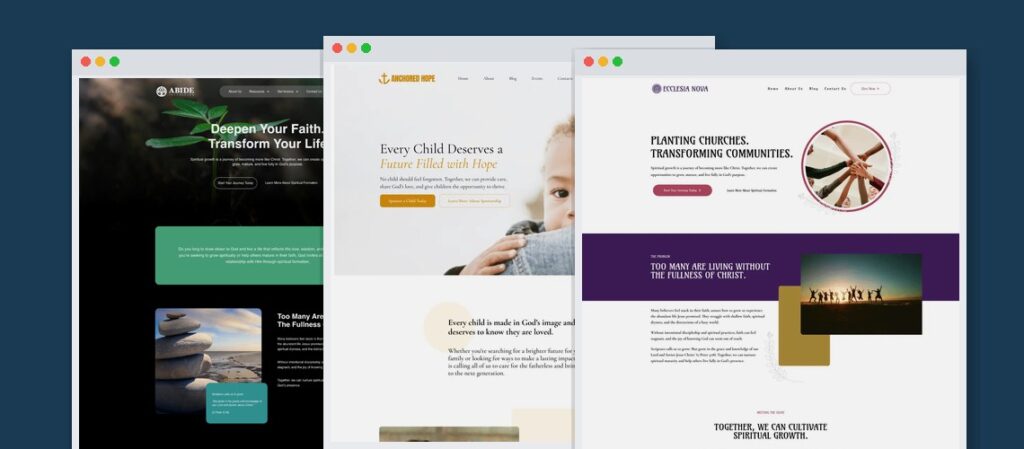
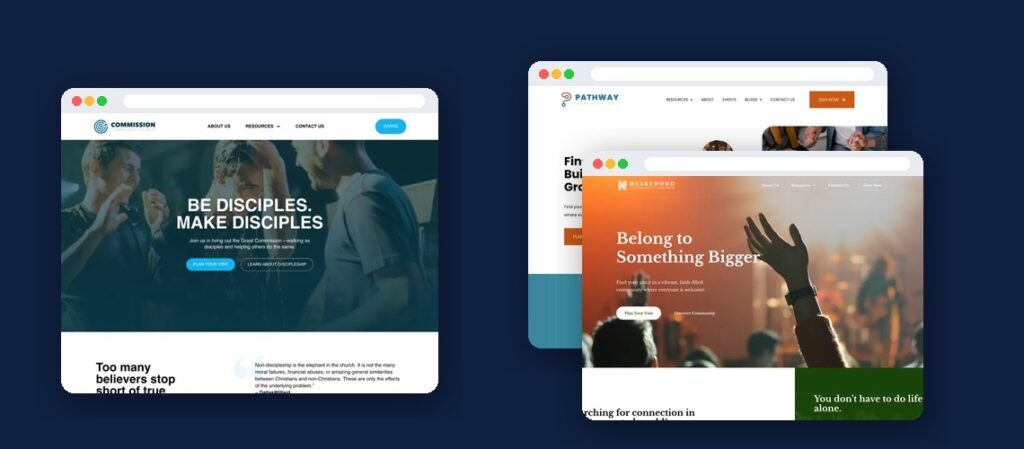
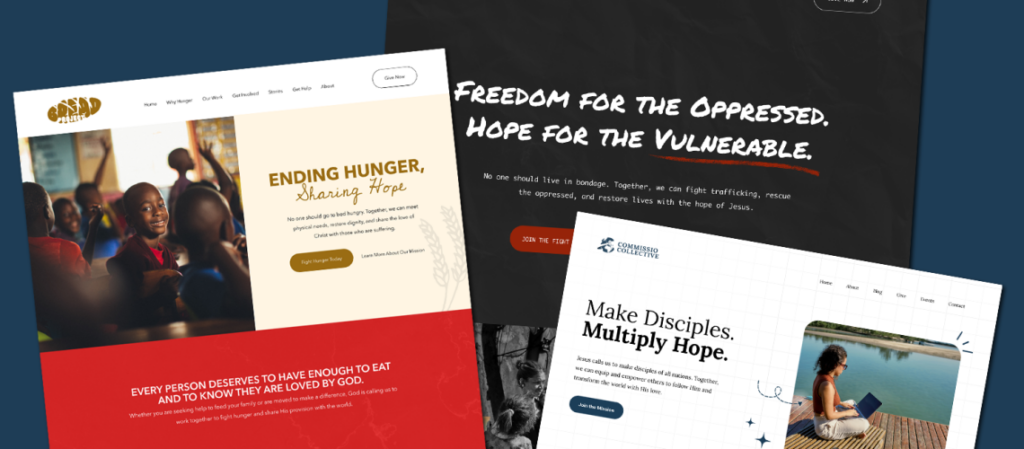
- You start with a website built for your type of ministry. We have templates designed around ministry contexts such as clean water, child sponsorship, pregnancy care, discipleship, campus ministry, and others. You can explore the full templates before choosing one. Browse the templates.
- You are not starting with a blank page. The templates include ministry-specific messaging and content structure designed to help you tell your story clearly and think through what your organization needs to communicate.
- We handle the technical side. Hosting, site management, onboarding, and launch support are included.
- Plans include ongoing SEO and content guidance after launch.
- There is no large upfront website build. Plans are currently $1,250/month for ministries with national reach and $1,500/month for locally focused ministries, which includes additional local search optimization.
That is much more expensive than a $29 Squarespace subscription because it covers more. A DIY platform charges you for the tool. DMT covers the people using the tool, guiding the strategy, managing the infrastructure, and continuing to improve the website with you.
That will not make sense for every nonprofit.
DMT is probably a strong fit if you:
- lead a Christian nonprofit, ministry, or church
- want help figuring out what your website should say
- do not want someone on staff responsible for hosting, updates, and technical maintenance
- want ongoing guidance around content and SEO
- would rather have a long-term website partner than complete another website redesign every few years
DMT is probably not the right fit if you want complete creative freedom, only need someone to hand you design files, intend to manage your own hosting, or simply want the cheapest possible way to get a website online.
In those situations, I would choose one of the DIY platforms above.
So, which is the best website builder for nonprofits?
I would narrow it down this way:
Need something online quickly and simply? Start with Wix.
Want a polished website without doing much design work? Squarespace is hard to beat.
Want maximum ownership, customization, and long-term SEO potential? WordPress is still my choice, assuming someone competent is responsible for it.
Need better fundraising tools? Add Givebutter to the website platform that otherwise fits your organization.
Running an advocacy organization or movement? Take a serious look at NationBuilder.
Want someone else to build, host, manage, and continue improving the website? That is where Digital Ministry Tools fits.
Whichever platform looks best, settle one question first: who is going to own the website after it launches?
The best website builder for nonprofit work is the one someone will own after launch, and your answer will probably tell you which option makes the most sense.
Frequently Asked Questions
What is the cheapest website builder for a nonprofit?
If you are looking for the best free website builder for nonprofits, Wix and WordPress.com both offer free ways to get started, although free plans come with limitations such as platform branding, ads, or the inability to use your own domain.
Of the paid entry-level plans compared here, WordPress.com Personal currently has the lowest listed price at $4/month when billed annually. Payment buttons for donations begin with the Premium plan at $8/month annually.
But do not compare software pricing alone.
Transaction fees, plugins, outside technical help, and staff time all add to the total cost of the website.
Can I accept donations through these website builders?
Yes, although the setup varies.
Squarespace includes a Donation block. Wix offers Wix Donations on payment-enabled plans. WordPress.com offers payment buttons on Premium and higher plans, while self-hosted WordPress can integrate with a wide range of donation plugins and fundraising platforms.
Givebutter and NationBuilder are more directly built around fundraising.
Digital Ministry Tools embeds your organization’s giving platform of choice and does not have its own donations product.
Always check current transaction and processing fees before selecting a platform.
Is WordPress or Wix better for a nonprofit?
Wix is easier, and WordPress is more flexible.
If you have a small team, limited technical experience, and simply need a straightforward website, Wix may be the better choice.
If your website is going to become a major part of your organization’s long-term communications, content, SEO, fundraising, or digital ministry strategy, WordPress gives you considerably more room to grow.
What matters most is whether you have someone capable of managing that additional flexibility.
Do I need a developer to build a nonprofit website?
Not necessarily.
Wix, Squarespace, and WordPress.com are all designed so that a non-developer can build a website.
Self-hosted WordPress becomes more technical, particularly as customization increases.
But I would separate “Can I build this without a developer?” from “Should I be the person spending my time building it?”
A nonprofit leader may be perfectly capable of learning Squarespace and still decide that spending twenty hours learning Squarespace is not the best use of twenty hours.
Spend your time on the mission
Your organization exists to do something more important than manage WordPress plugins or resize homepage images.
If you have someone on your team who enjoys doing that work and does it well, great. Give them the right tools and let them run.
If you do not, plan for who will.
That is exactly why we built Digital Ministry Tools.
Visit the Start Here page to see how the service works, what it costs, and whether it makes sense for your ministry.
If it does, you can schedule an onboarding call and we can talk through your organization, your website, and what you are trying to accomplish.